Running today

Three systems already doing the work.

Each one runs Raf Carpentry before anyone else gets it. Yours would be built the same way, around your own jobs.

For cabinet and wardrobe makers

CabinetOS

Built after a spreadsheet cut-list mistake cost me money on a job.

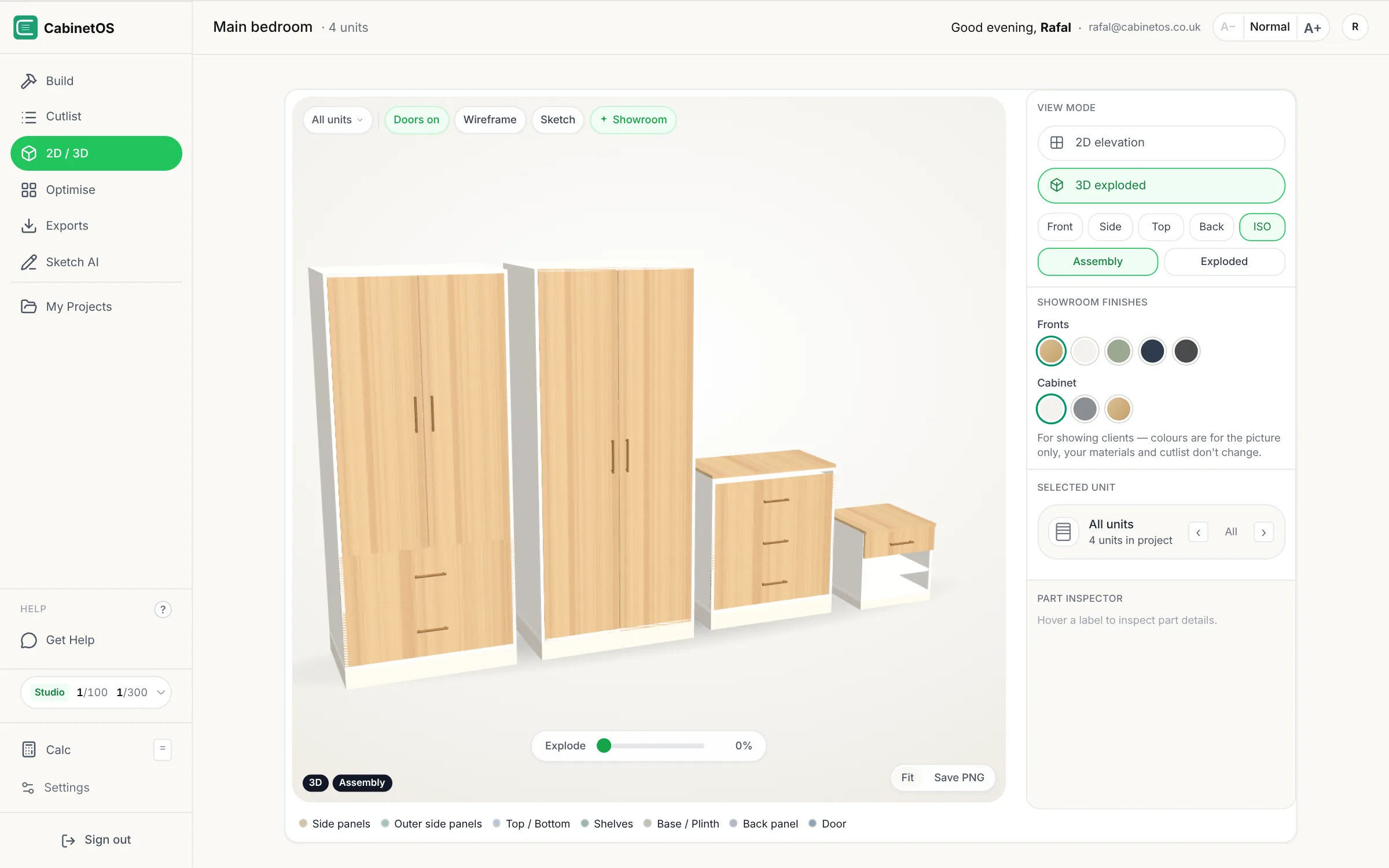
CabinetOS 3D view in showroom mode: two wardrobes, a chest of drawers and a night stand with wood fronts
Live · free plan

CabinetOS

Cut lists, board layouts and drawings for wardrobe and cabinet makers. I built it after a spreadsheet cut-list mistake cost me money on a job.

  • Demo job: 85 parts on 10 boards, 9% waste
  • Front, side, top and 3D drawings
  • Cut sheets and labels for the workshop
  • Showroom mode: finishes for the client, cut list unchanged
  • Free plan, paid plans from £19 a month, VAT included
Open cabinetos.co.uk

For running the business

Job Kit

The first thing I open in the morning.

Runs Raf Carpentry every day

Job Kit

The phone app I open every morning. Enquiries, diary, emails, texts and money owed, in the order they need doing.

  • Reads and writes my ServiceM8, nothing typed twice
  • Replies drafted for me, sent only when I say
  • Finished jobs ask for their review
  • Find any customer by name, mobile or postcode
  • My info@ inbox on the same screen as the job
  • Property facts before a visit: energy certificate, planning, last sale
  • Job photos and clips sent from the van, posts made for Instagram and TikTok

What a morning looks like

  1. Today lists the visits, new enquiries, quotes to follow up and money to collect, in that order.
  2. Tap an enquiry and the customer, their photos, their emails and texts and the property facts are on one screen.
  3. Reply with a draft already written. I change a word or two and press send; it is filed on the ServiceM8 job.
  4. Book the visit in ServiceM8's diary and confirm it on WhatsApp in one tap.
  5. After the job, the review request is ready to send, and the photos become a post for Instagram.

Built for my business. Yours would show your jobs, your words and your way of working.

For getting the job in

Wardrobe planner to cut list

Customers do the first drawing for you.

Wardrobe planner 3D view: three sage green units with the doors open, rails and shelves inside
Live on rafcarpentry.com

Wardrobe planner to cut list

Customers plan their wardrobe in 3D on the website. It arrives as a ServiceM8 job and a CabinetOS project with the cut list already worked out.

  • Sizes, units, doors and colour
  • Thank-you email with designs like theirs
  • Cut list ready before the site visit
Try the planner

What happens when a customer presses Send

  1. A client, a contact and a Quote job appear in ServiceM8, with their design in the description.
  2. The design becomes a CabinetOS project, cut list included, with the scribe fillers worked out.
  3. The customer gets a thank-you email with three finished jobs like theirs.
  4. I get an email and a line at the top of Today. I check the sizes on the visit before anything is cut.

Being built

Next: the decorator's paint schedule

Built with a London decorator who paints by hand and sprays.

Being built

Doors, fronts and panels in; litres, tins and a price out. The sizes can come straight from a CabinetOS drawing, so the carpenter and the decorator work from the same numbers.

Try the paint schedule
Bedroom wardrobes, sprayed17.1 m²4 doors, 6 fronts, 4 m² panels
Top coat, 2 coats4.4 LBuy 1 × 5 L

About a minute

Start a project

Seven quick questions: what you'd like built, what you use now and what eats your time. Then it comes straight to me.

Got an idea for a website or an app?

Seven quick questions, about a minute. I reply within 24 hours with what I'd build first.

Call 07792 860221
Start a project